NEW Music player for Android

Your music, beautifully played.

Klydio turns the songs already on your phone into something you'll love opening: a player that takes on every cover's colours, lyrics that follow the music, and smart tools for your whole library.

  • Free
  • No account
  • No ads or tracking
  • Works offline

Coming soon to Google Play

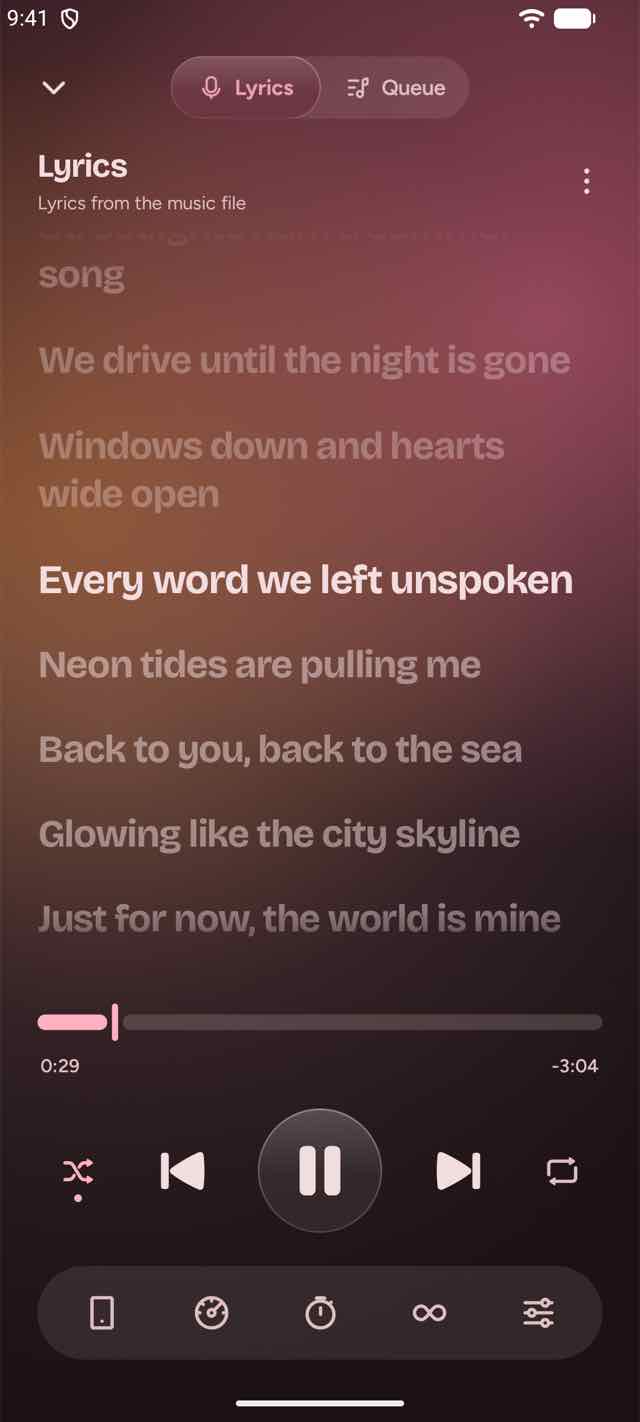
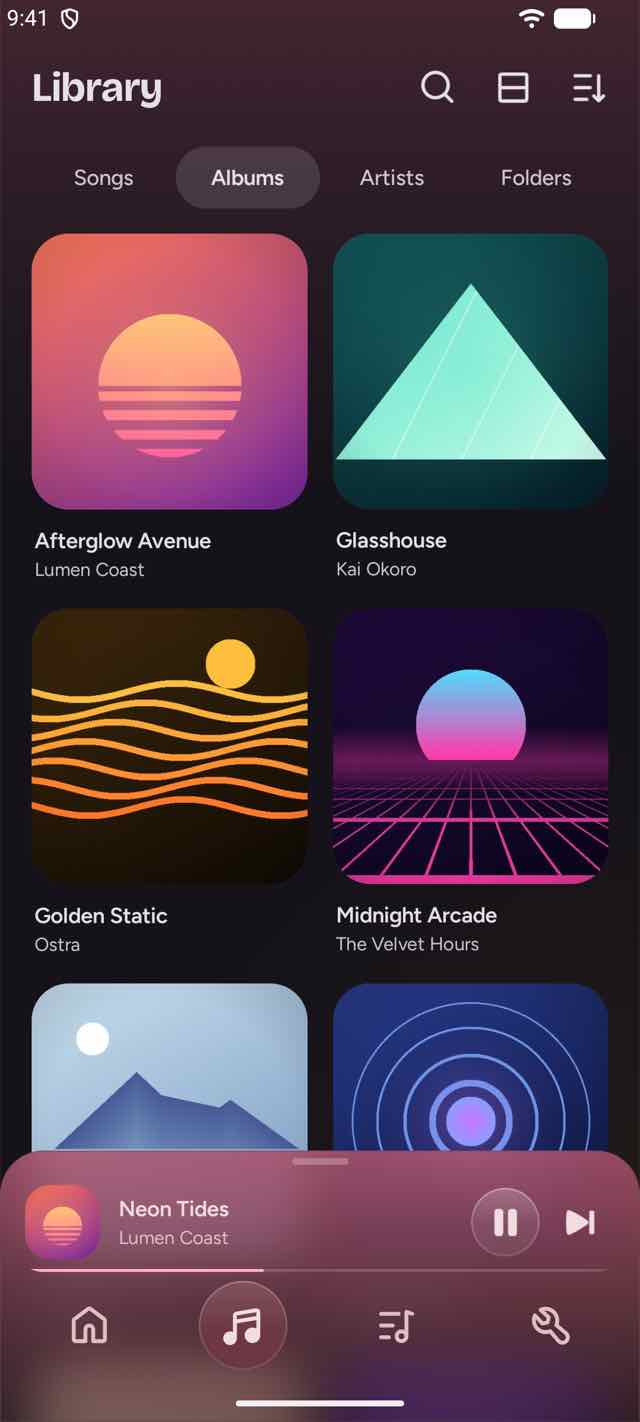
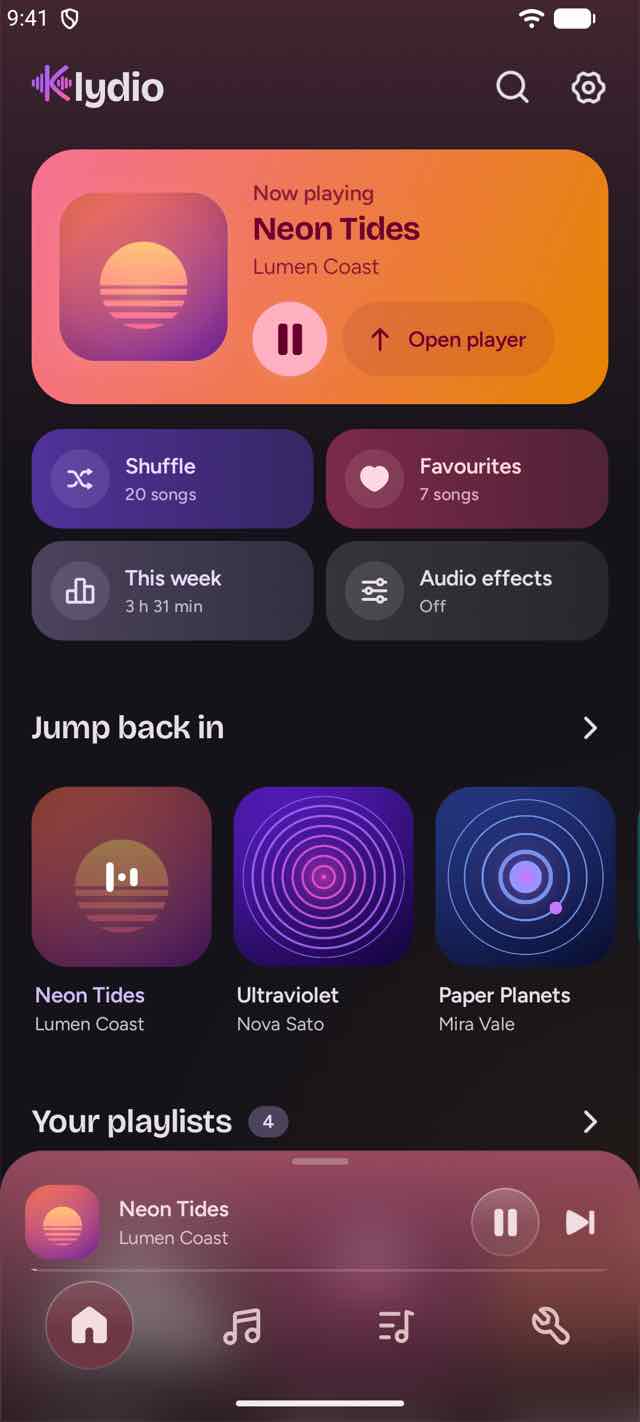
The full-screen player in the album cover's colours Synced lyrics with the current line lit up The library's album grid Home with the song now playing
Your filesMP3, FLAC, AAC, Opus, WAV and more
OfflineNothing to stream, nothing to sign in to
8 accentsPlus pure black and album-art colours
FreeNo ads, no tracking, no catch
Features

Everything a music lover wants. Nothing in the way.

Designed from scratch, down to every slider and animation, so playing your music feels as good as it sounds.

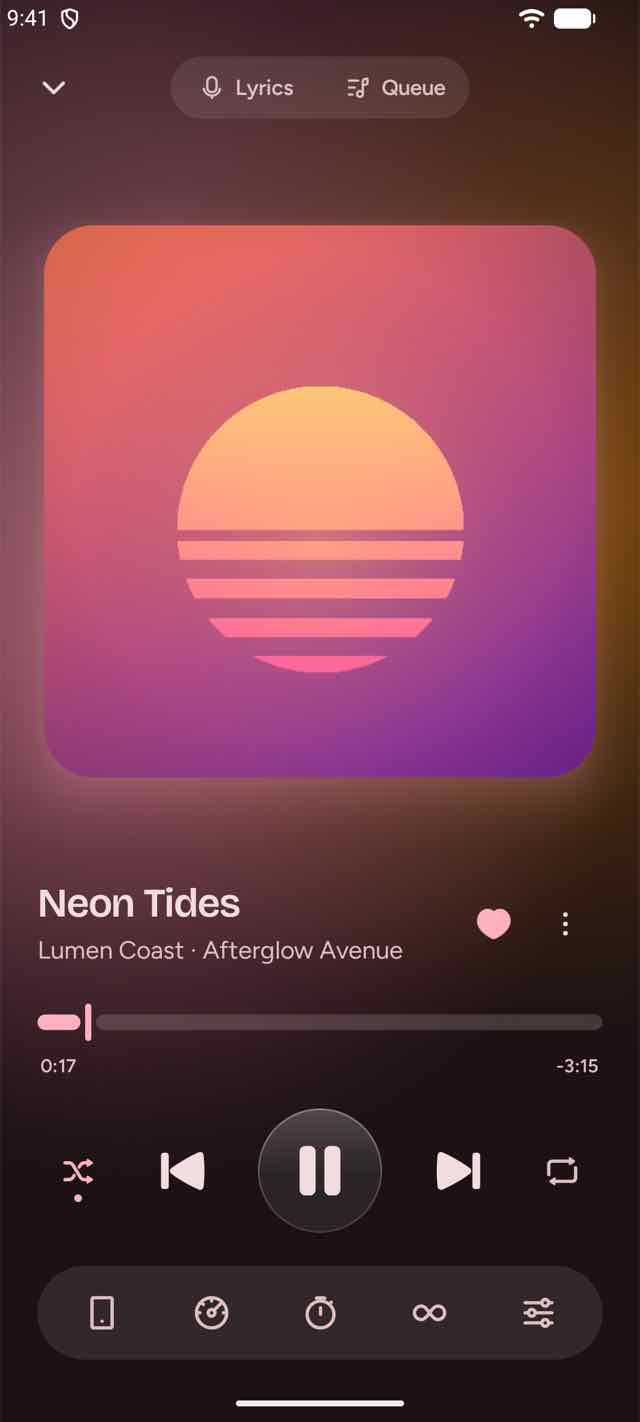
The full-screen player in the cover's colours
The player

A player that dresses up for every song.

The whole player takes on the colours of each cover, with a softly moving backdrop. Swipe the cover to skip, double-tap to jump ten seconds, pull down to close.

  • Gapless and crossfade, with ReplayGain to even out the volume
  • Sleep timer that fades out gently, playback speed and A–B loop
  • Lock screen, Bluetooth and headset controls that just work
Synced lyrics with the current line lit up
Lyrics

Sing along, line by line.

Synced lyrics glide with the music and light up as each line is sung. Tap any line to jump straight to it.

  • Reads lyrics embedded in your files or from a folder of .lrc files
  • Optional online lookup, off until you choose to turn it on
  • Keeps the screen awake while you read, in the size you like
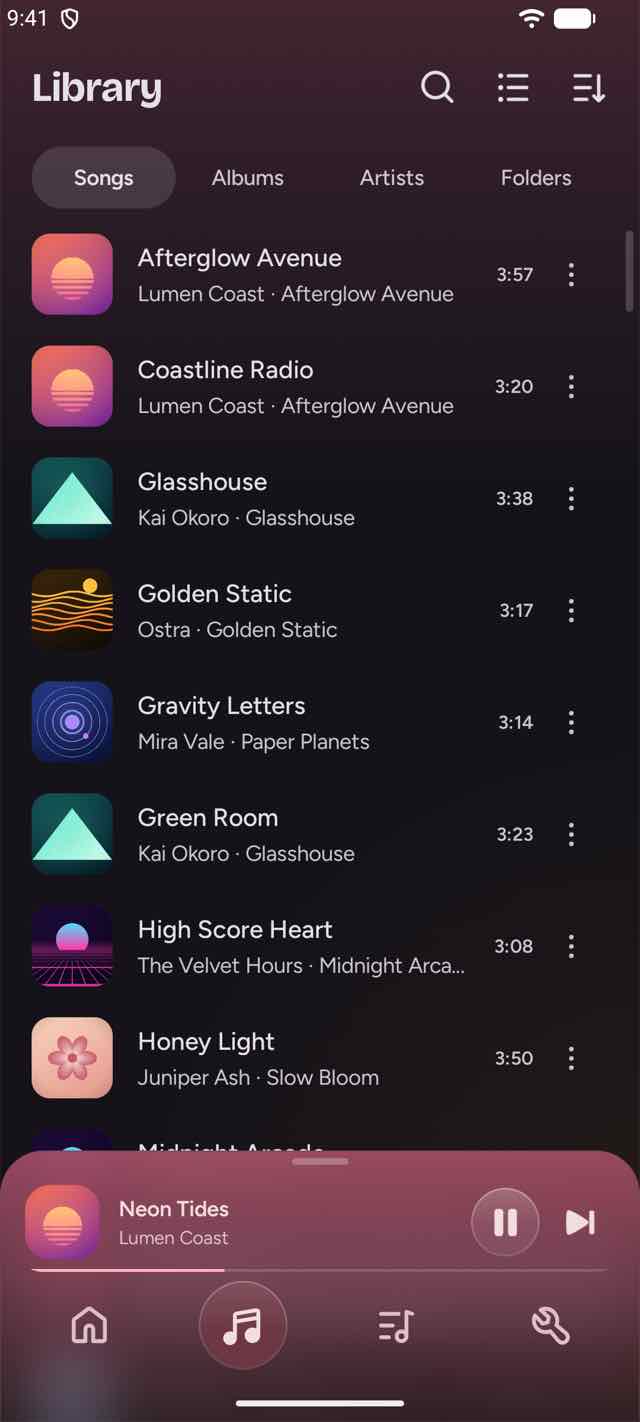
The library's album grid
Library

Your collection, finally looking its best.

Browse by songs, albums, artists or folders, with instant search and a fast scroller for big libraries.

  • Featured artists split out, so “A feat. B” shows under both
  • Tag editor for titles, artists and album art, one song or many
  • Hide folders and short clips like voice notes
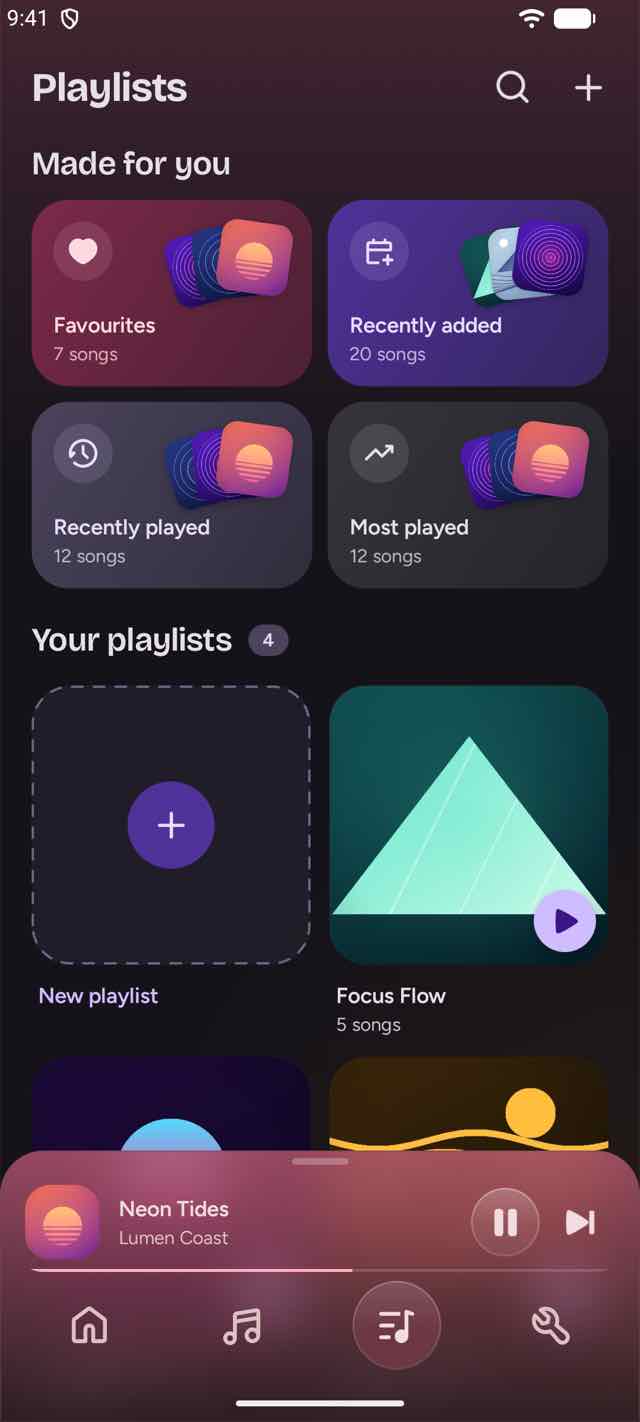
Playlists: made for you and your own
Playlists

Playlists that build themselves.

Favourites, recently added, recently played and most played update on their own. Make your own, or set a few rules and let a smart playlist fill itself.

  • Smart playlists by artist, year, plays, date added and more
  • Drag to reorder, swipe a song to play it next
  • Import and export .m3u, and back everything up to a file
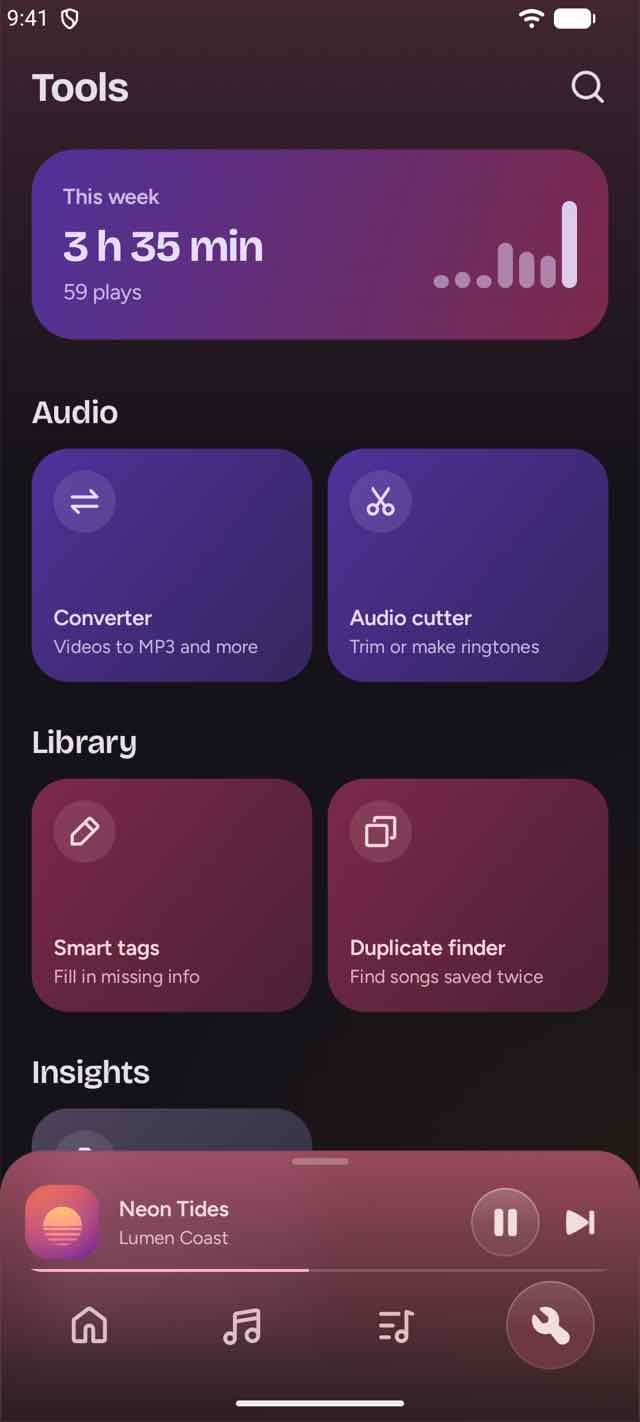
Tools: converter, cutter, smart tags and more
Tools

A toolbox for your music, built right in.

The handy extras you'd normally need three more apps for.

  • Converter: turn videos into MP3, or audio into M4A, Opus, FLAC or WAV
  • Audio cutter: trim a song or make your own ringtone
  • Smart tags and duplicate finder to tidy up, plus your listening stats
And so much more

Thoughtful details everywhere.

Equaliser and effects

Presets, your own curve, bass boost and loudness, and different settings for each pair of headphones if you like.

Make it yours

Dark or light, eight accent colours or your wallpaper's, pure black for OLED, and the Home screen in your order.

Home screen widget

A resizable Now Playing widget in your song's colours, with play, skip and favourite.

Picks up where you left off

Your queue and position come back after a restart, and Bluetooth play resumes the last song.

Open from anywhere

Play audio files straight from your file manager, downloads or chat apps.

Smooth everywhere

Fluid motion and gestures throughout, with gentle haptics you can switch off.

Privacy

Your music never leaves your phone.

Klydio has no account, no ads, no analytics and no tracking. Your library, playlists and listening history are stored on your phone and nowhere else.

No account

Open it and play. There's nothing to sign up for.

No tracking

No ads, analytics or crash-reporting tools inside the app.

Online only if you ask

Lyrics and song-info lookups are off until you turn them on.

FAQ

Questions, answered.

Can't find what you're looking for? We're happy to help.

Is Klydio free?

Yes. Klydio is free to download and use, with no ads.

Does it stream music?

No. Klydio plays the music files already on your phone, like songs you've bought, ripped or downloaded. That's why it works completely offline.

Which formats does it play?

Everything your phone can decode: MP3, AAC/M4A, FLAC, Ogg Vorbis, Opus, WAV and more, including high-resolution files.

Which phones does it support?

Android 7.0 and newer, on phones, foldables and tablets.

Where do the lyrics come from?

From lyrics embedded in your songs, a folder of .lrc files you choose, or lyrics you import. If you turn on online lyrics, Klydio can also look songs up on LRCLIB.

Can I move my playlists to a new phone?

Yes. Settings › Backup saves your playlists, favourites, history and settings to a file you can restore on your new phone.

How do I join the beta?

Email us the Google account you use on your Android phone. We'll add you to the test and send a link; then you install Klydio from Google Play like any other app.

Early access

Be one of the first to listen.

Klydio is in its final round of testing before it arrives on Google Play. Join the beta, try it on your phone and tell us what you think.

  1. 1

    Email us

    Send the Google account you use on your Android phone. One tap on the button does it.

  2. 2

    Get your invite

    We add you to the test and send you a link to opt in.

  3. 3

    Install from Google Play

    Klydio installs like any other app, and updates arrive on their own. Keeping it for at least two weeks helps us launch.